

By Kieron JH, Founder, The Reasonable Adjustment
Image-based email signatures look “professional” until you care about how email actually works in the real world. For small organisations, charities, and teams without dedicated IT, they create avoidable accessibility problems, deliverability issues, privacy risk, and a nasty surprise later when you need to redact material for a Subject Access Request (SAR), an internal investigation, or a legal bundle.
If you’re using a PNG, JPG, or banner-style graphic as a signature, you’re making life harder for people who use assistive technology and harder for your own organisation when compliance matters.
1) Accessibility: images don’t behave like text
A text signature is readable, resizable, and works with screen readers. An image signature is often skipped, read as meaningless file metadata, or presented without the information the sender thought they were sharing. If your “signature” includes your name, role, contact details, or even basic context, embedding it in an image can make that information inaccessible.
It also fails in common scenarios: dark mode, mobile email clients, and corporate security settings that block external images by default. Your “professional” sign-off becomes a blank rectangle.
2) Deliverability and thread bloat: small files add up fast
Email threads already get heavy. Now add an image signature to every reply, every forward, and every “thanks”. Over time that becomes unnecessary bulk in mailboxes, backups, eDiscovery exports, and archives.
There’s also a practical spam-filter angle. Emails noteably weighted toward images, especially repeated images, can trigger filtering or reduce deliverability. Small organisations often only notice after a client says “we didn’t receive your email” and the trail goes cold.
3) Privacy and tracking: signature images are often used as beacons
Many signature tools host the image on a remote server. When the recipient opens the email and their client loads the image, it can reveal that the email was opened, when it was opened, and sometimes additional metadata. That might be intentional, or it might be “just how the tool works”, either way it’s data processing.
If you’re a small organisation, you probably don’t want hidden tracking behaviour quietly baked into routine communication, especially when you’re emailing service users, patients, tenants, clients, or vulnerable people.
4) The underrated problem: image signatures make redaction harder later
This is the part most people miss until it bites them.
When emails are disclosed for a SAR, a complaint, litigation, or an internal safeguarding review, redaction needs to be reliable. Text can be searched, selected, and redacted properly. Images can’t, unless you manually mask the pixels, or run OCR and hope it catches everything. That’s slow, error-prone, and easy to get wrong.
Image signatures commonly include personal data: names, job titles, phone numbers, direct emails, team names, logos, locations, and sometimes even handwritten signatures. Once that’s baked into pixels, it’s much harder to remove cleanly and consistently. The result is either:
1) over-redaction that removes useful context, or
2) under-redaction where personal data slips through, or
3) time wasted doing manual work that shouldn’t exist in the first place.
If you’re trying to comply with UK GDPR principles like data minimisation and integrity, creating extra redaction risk for no operational benefit is the opposite of smart.
What to do instead: a simple, low-risk signature standard
For most small organisations, the best option is boring and effective:
1) Use a plain text signature with your name, role, organisation, and one or two contact methods.
2) If you need branding, use a single line of text, not a banner graphic.
3) Avoid including unnecessary personal data, especially personal mobile numbers, direct extensions, or location details unless required.
4) If you must include an image (rare), keep it purely decorative and do not embed critical contact info inside it.
You’ll improve accessibility, reduce inbox bloat, avoid accidental tracking, and make future SAR or disclosure work dramatically easier.
Quick self-audit for small orgs
Ask yourself:
1) If images are blocked, does the recipient still see my name and contact details?
2) Could a screen reader user get the same information easily?
3) If we had to disclose this email chain in a SAR, could we reliably redact it quickly?
4) Is our signature tool hosting images remotely, and do we actually want that behaviour?
Bottom line
Image signatures are a classic example of “looks polished, functions badly”. They introduce accessibility barriers, create privacy risk, and turn basic redaction into a manual chore. For small organisations trying to be competent and compliant without a big IT budget, the fix is simple: keep signatures as text, keep them minimal, and stop turning contact details into pixels.
Related reading and tools
If you’re dealing with email evidence, disclosures, or anything that might end up in a SAR, complaint, or legal bundle, these are the practical follow-ons.
Tools
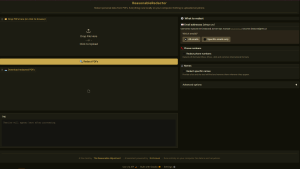
- ReasonableRedactor, batch PDF redaction Built for the exact problem this article warns about, when personal data is baked into screenshots, scans, and signature images.
- Free tools for GDPR, Equality Act and self-advocacy Your main hub for tools, routes, and templates.
SAR and disclosure pieces
- How to Submit a Subject Access Request (SAR) A straight, usable guide for getting the data and keeping control of the process.
- Subject Access Requests, common misconceptions debunked Good ammo for when orgs start improvising rules that don’t exist.
- Templates Copy-paste starters for SARs, replies, escalation, and reasonable adjustments.



Be First to Comment